
MOKiN 12-in-1 USB-C Hub with Dual 4K HDMI & Gigabit Ethernet
$53.99
Expand your connectivity with the MOKiN 12-in-1 USB-C Hub, featuring dual 4K HDMI, VGA, Gigabit Ethernet, USB 3.0, and more for ultimate versatility.
Overview
Unlock the full potential of your laptop or desktop with the advanced MOKiN 12-in-1 USB-C Hub, a versatile and essential accessory for modern computing. This powerhouse docking station transforms a single USB-C port into a comprehensive array of connectivity options, ensuring you’re always prepared for any task, whether at home, in the office, or on the go. Designed for professionals, creatives, and anyone seeking to streamline their workspace, the MOKiN hub eliminates the need for multiple adapters and tangled cables.
Its sleek, durable aluminum alloy casing not only looks premium but also provides efficient heat dissipation, ensuring stable performance even under heavy loads. Experience seamless data transfer, stunning visual output, and reliable network access all from one compact device. This hub is a game-changer for enhancing productivity and expanding your digital capabilities, making it an indispensable tool in today’s tech-driven world.
The integration of numerous ports into one elegant solution means less clutter and more efficiency. Imagine connecting multiple monitors, high-speed peripherals, and a stable wired internet connection, all through a single USB-C connection. The MOKiN 12-in-1 USB-C Hub is engineered to support a wide range of devices, from MacBook Pro/Air to Windows laptops and even some Android tablets, making it a universal companion.
Its plug-and-play design ensures instant functionality without the need for complex driver installations. Simply connect it to your device and start expanding your possibilities. This hub is not just an accessory; it’s an upgrade to your entire computing experience, providing the flexibility and power you need to tackle any project with ease.
Key features
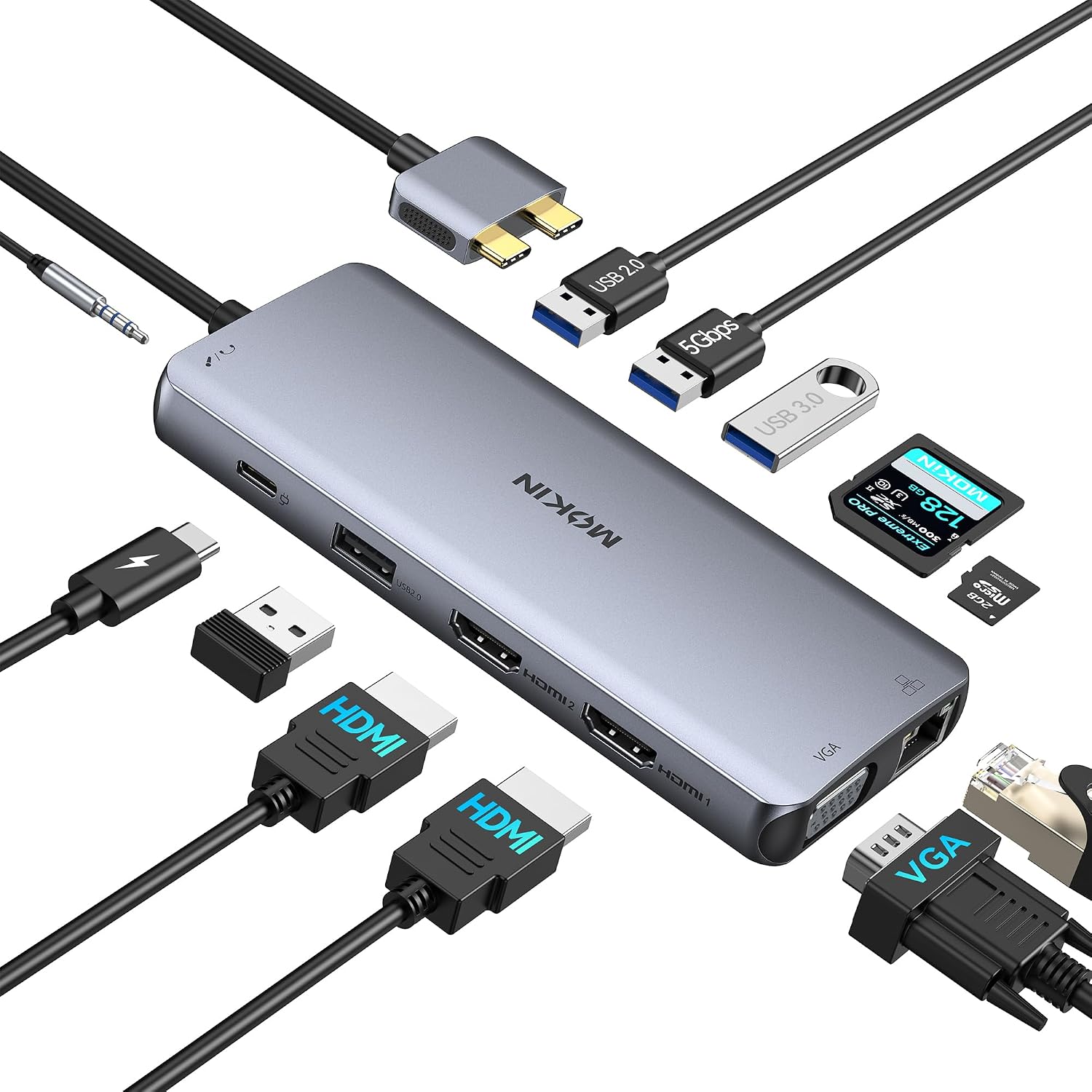
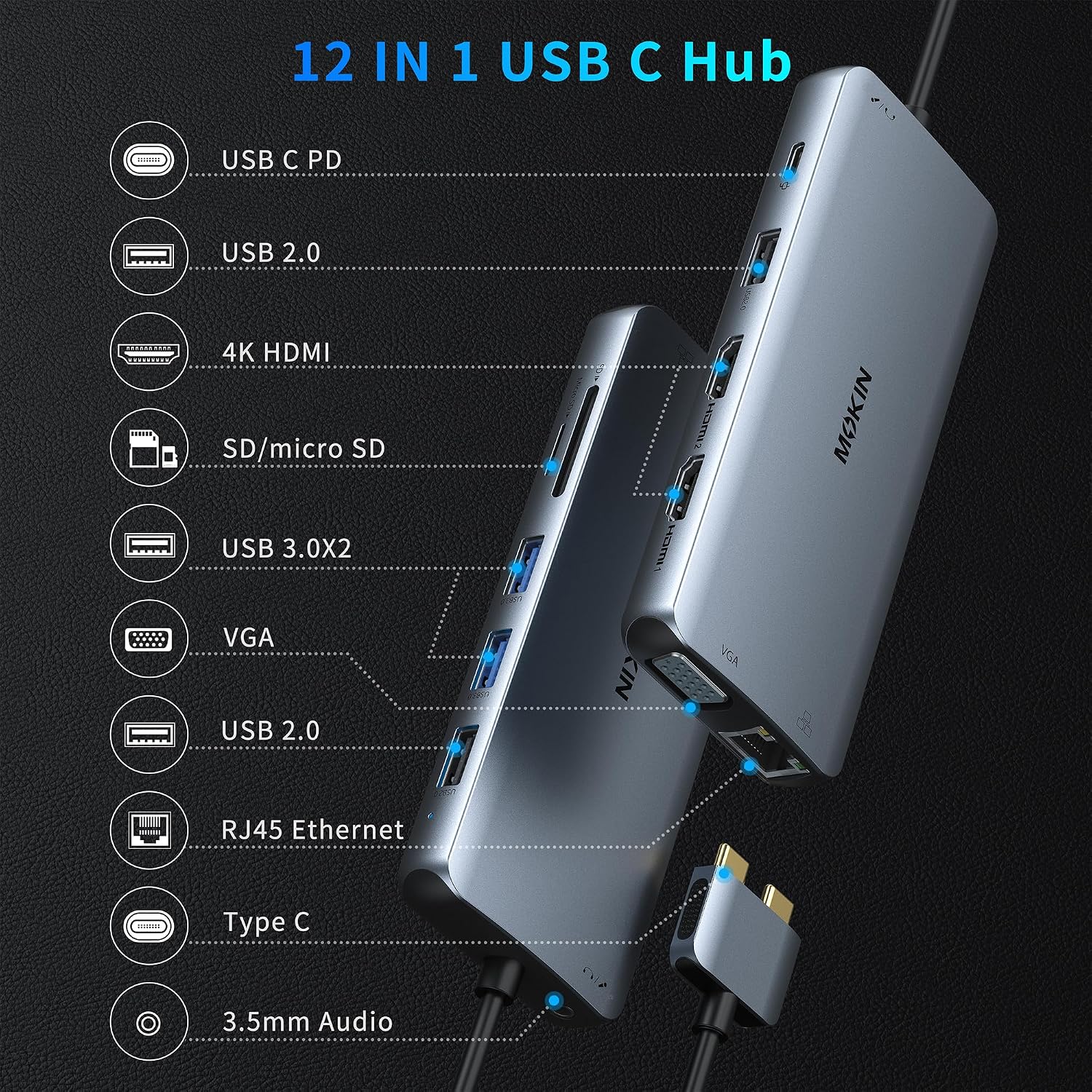
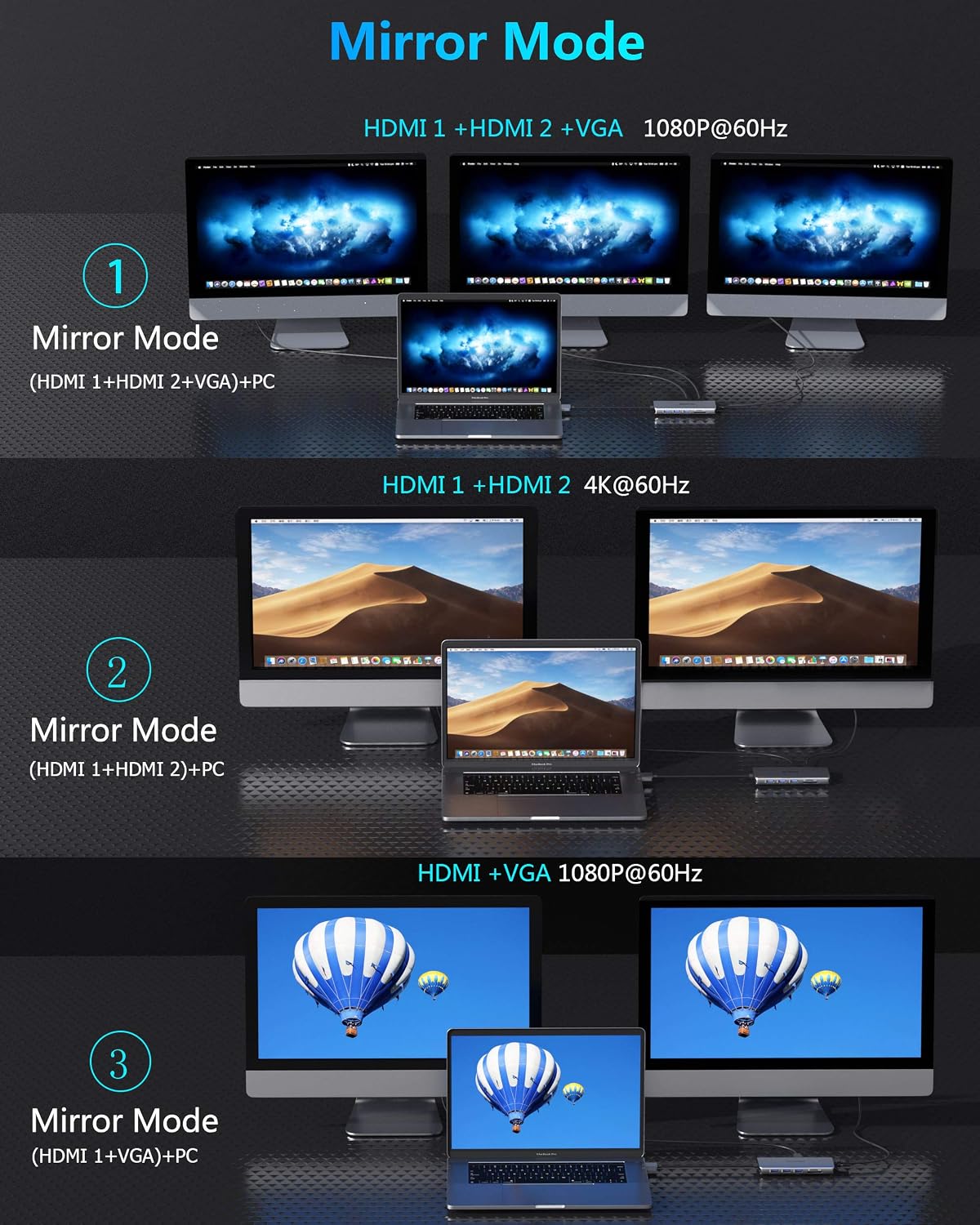
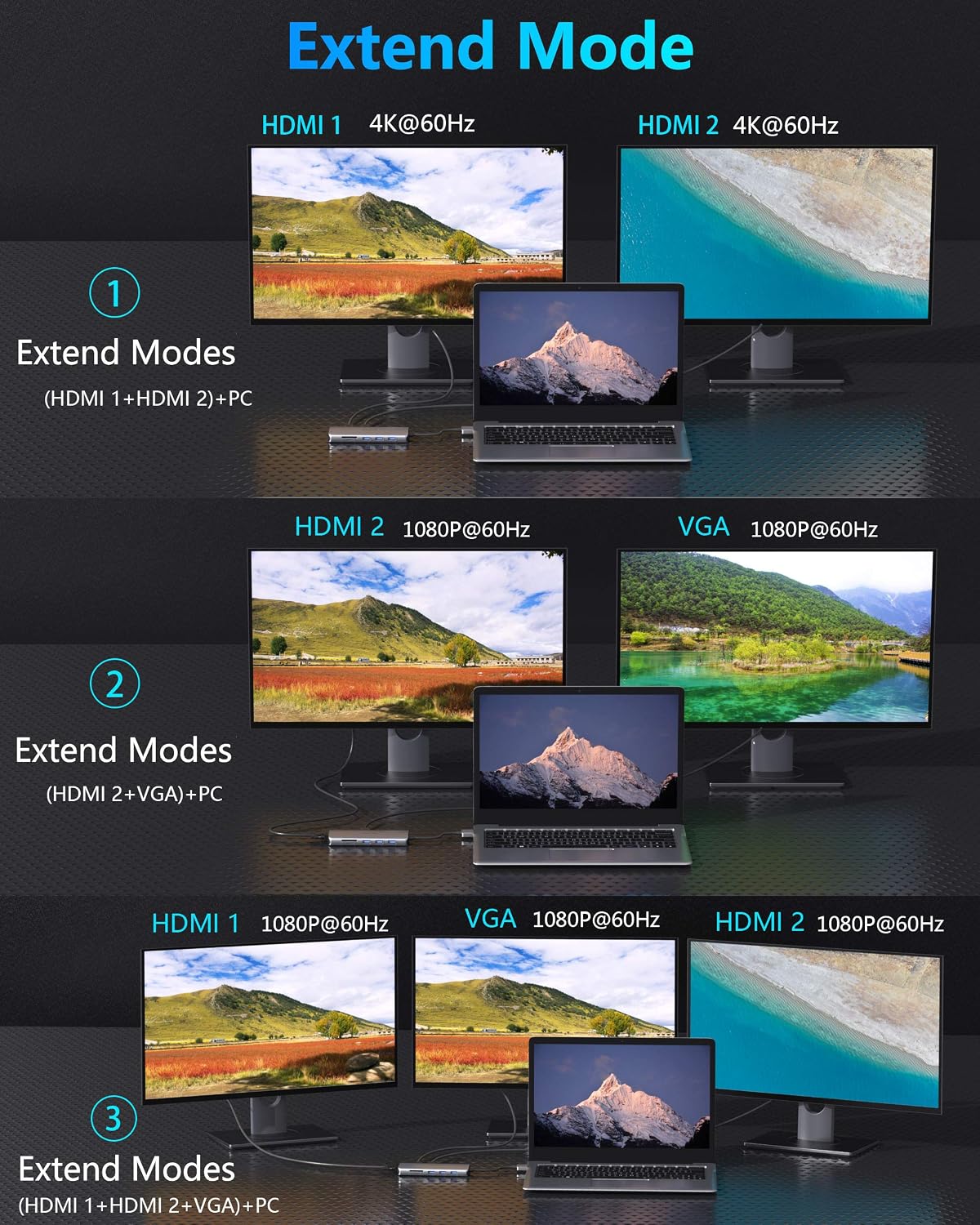
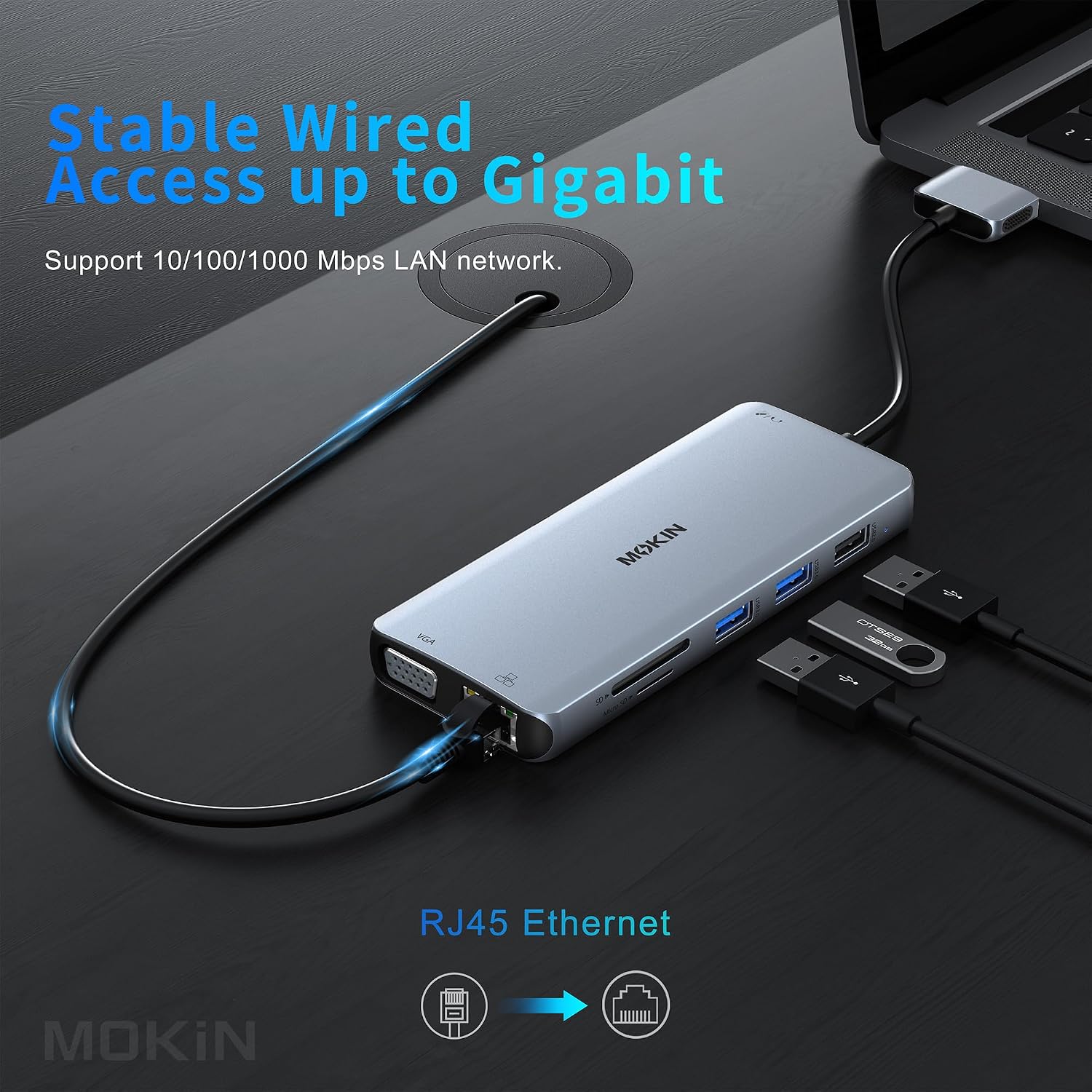
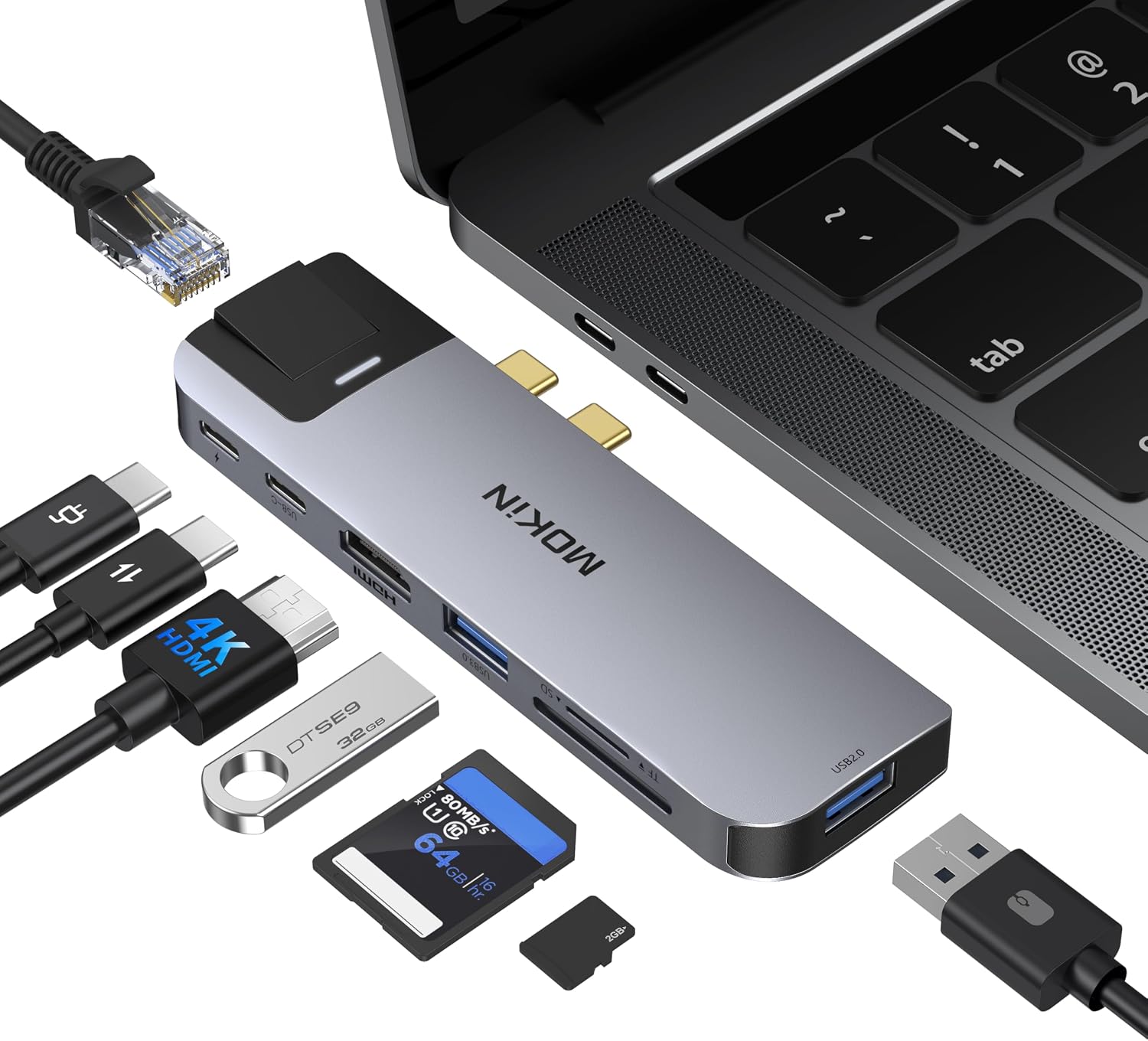
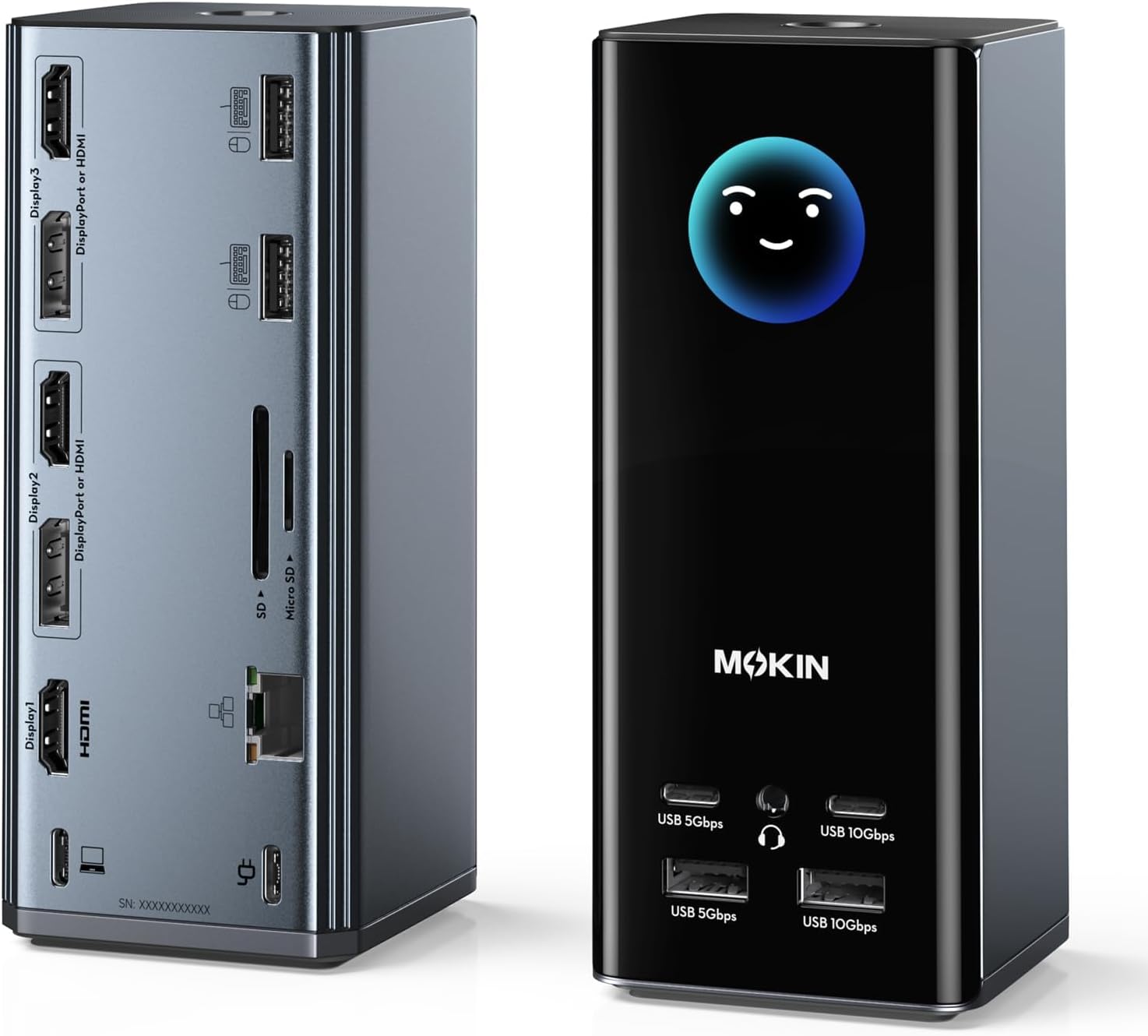
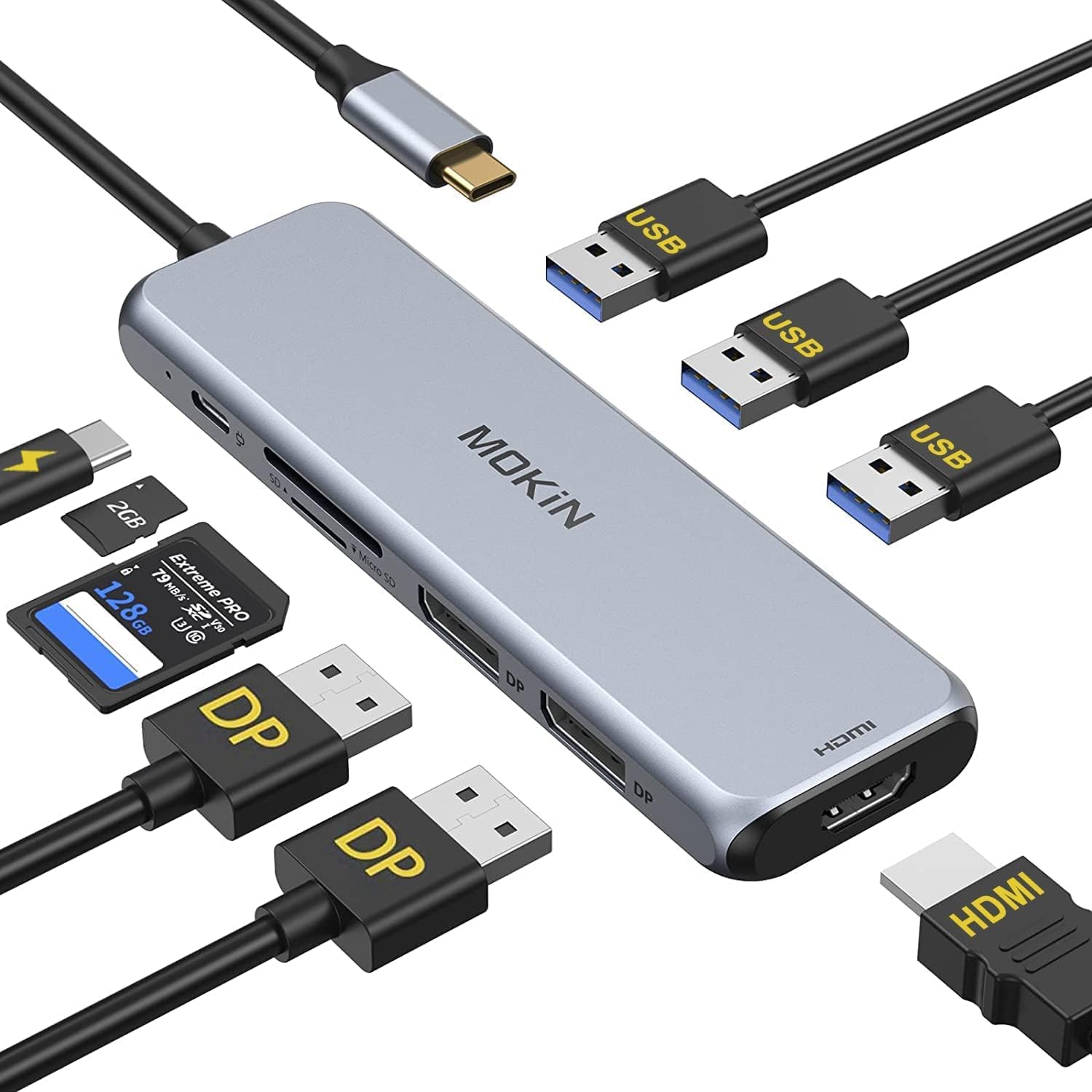
- The MOKiN 12-in-1 USB-C Hub is packed with an impressive array of features designed to meet the demands of even the most rigorous users At its core, it offers comprehensive video output capabilities, including dual 4K HDMI ports and a VGA port, allowing for extended or mirrored displays across up to three external monitors. This is perfect for multitasking, graphic design, video editing, or simply enjoying immersive entertainment. The HDMI ports support resolutions up to 4K@30Hz, while the VGA port supports 1080P@60Hz, providing crisp and clear visuals. Furthermore, the hub includes a Gigabit Ethernet port, ensuring a stable and super-fast wired internet connection, crucial for online gaming, large file transfers, and uninterrupted video conferencing.
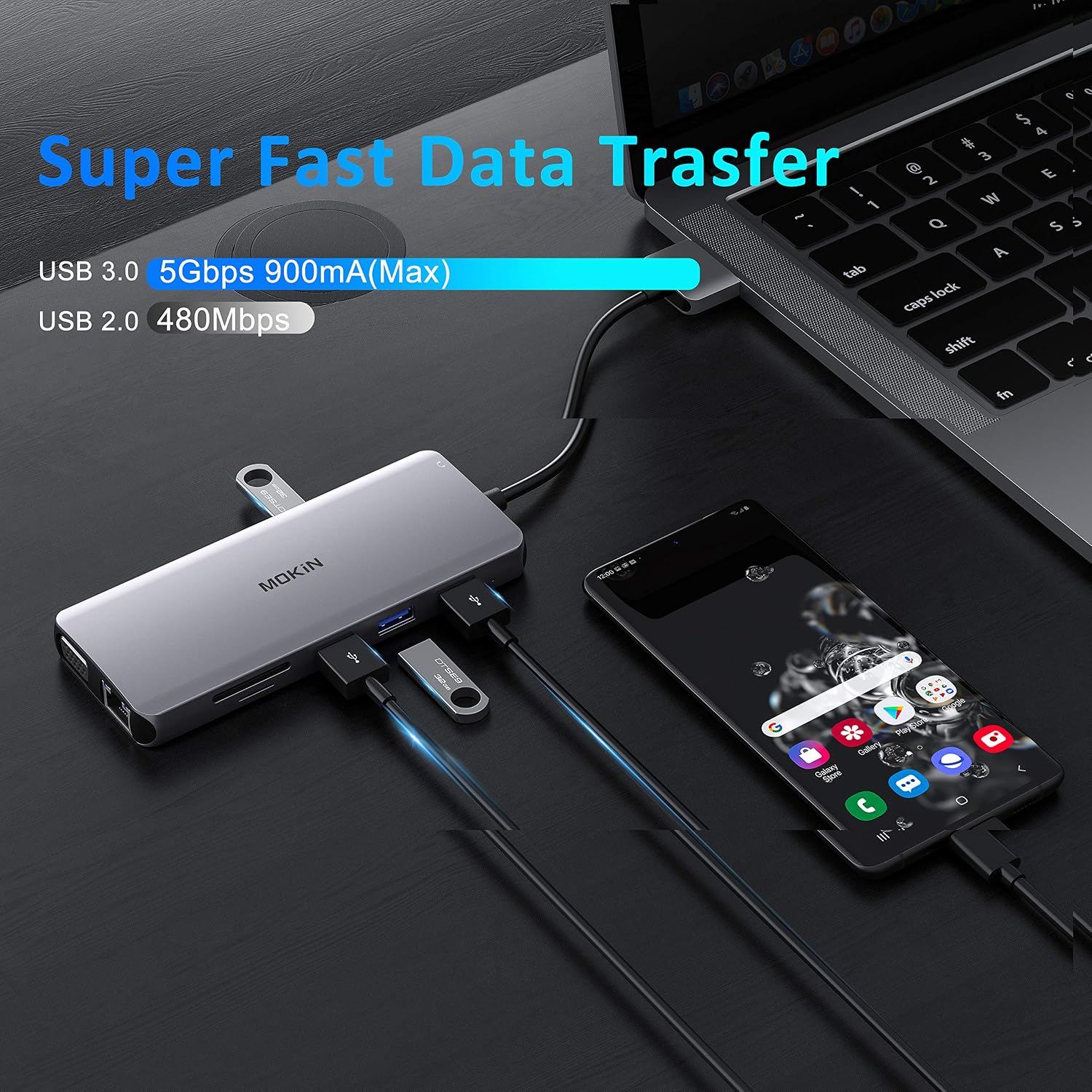
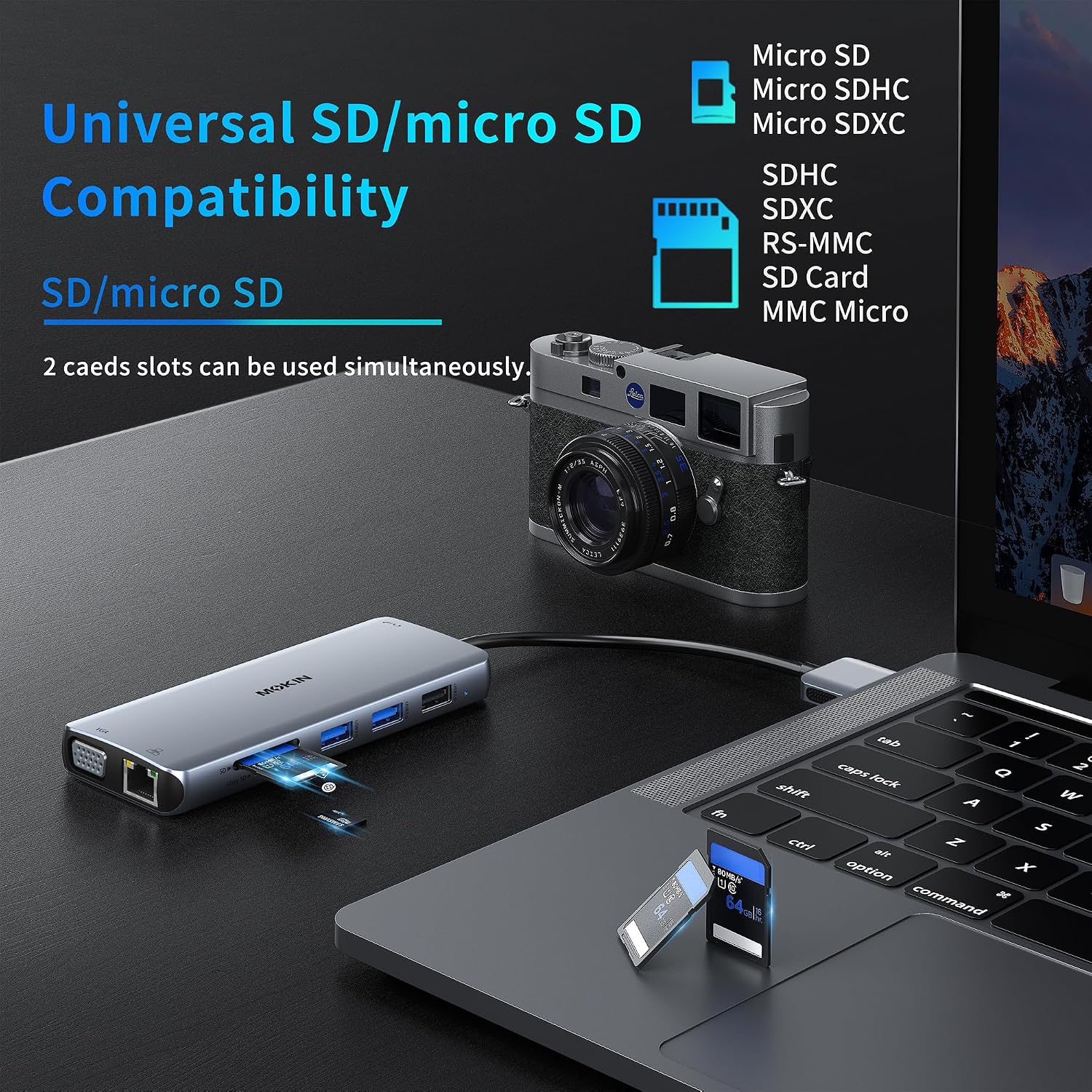
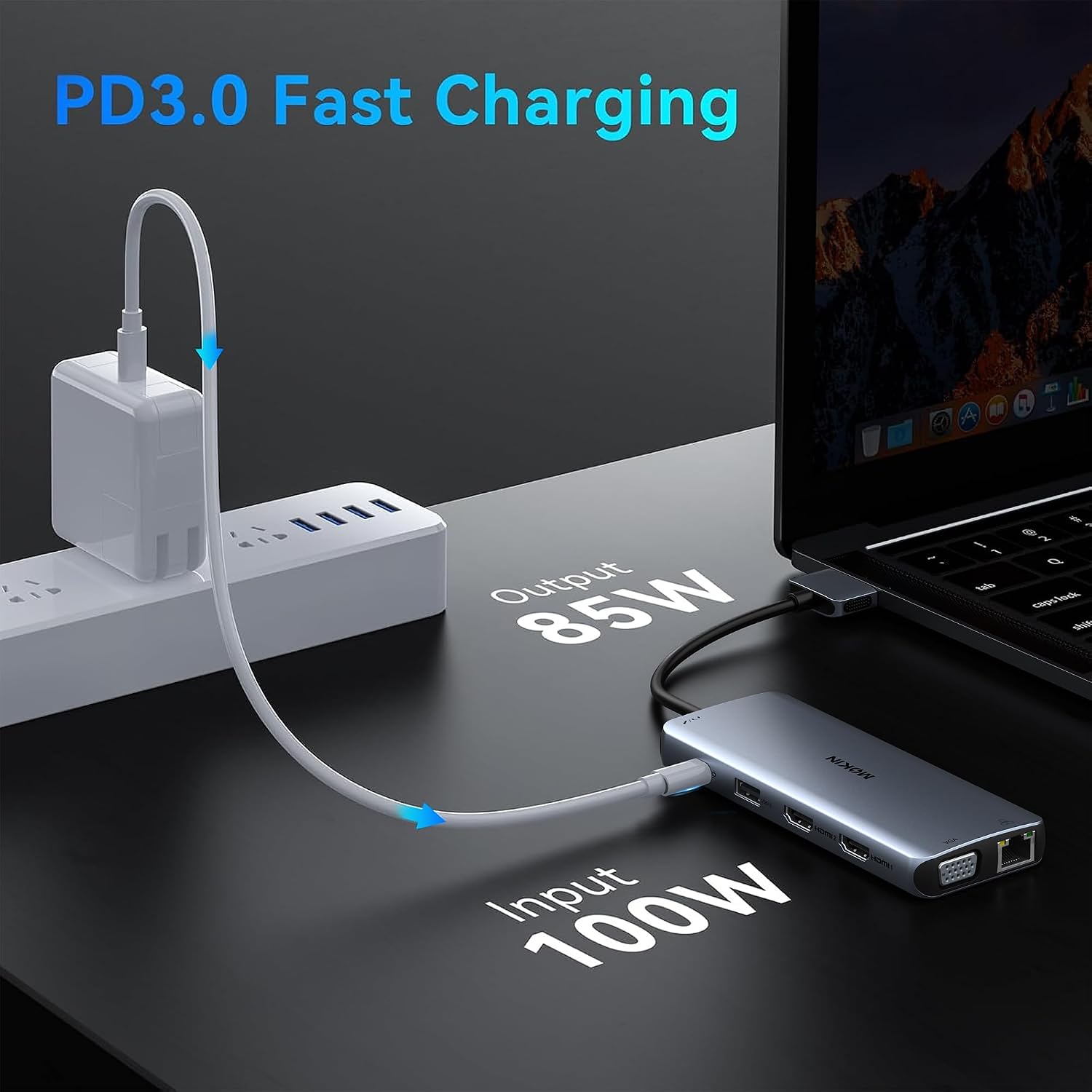
- Data transfer is incredibly fast with two USB 3.0 ports, offering speeds up to 5Gbps, ideal for external hard drives, SSDs, and flash drives Additionally, two USB 2.0 ports are available for connecting keyboards, mice, and other low-bandwidth peripherals, preventing interference with high-speed devices. The integrated SD and Micro SD card readers support various memory card formats, making it easy to transfer photos and videos from cameras and smartphones. For power delivery, the USB-C PD port supports up to 100W charging, allowing you to power your laptop while using the hub. Finally, a 3.5mm audio jack provides convenient connectivity for headphones or speakers, completing the multimedia experience.
Specifications
| SKU | SCC-1003 |
|---|---|
| Set | 12-in-2 MacBook, 17-in-1 for Windows, 17-in-1 USB C Docking Station, 7 in 2 MacBook, 9-in-1 DP, for macOS and Windows |
| Category | Hubs & Power |
How to use & care
Using the MOKiN 12-in-1 USB-C Hub is incredibly straightforward. Simply plug the built-in USB-C cable from the hub into an available USB-C port on your laptop, tablet, or compatible smartphone. Your operating system will typically recognize the hub instantly, and you can begin connecting your peripherals, monitors, and network cables.
For optimal performance with multiple displays, ensure your device’s USB-C port supports DisplayPort Alternate Mode (Alt Mode) and Power Delivery (PD) if you intend to charge your device through the hub. When connecting external monitors, remember to set your display preferences in your operating system’s settings to extend or mirror your desktop as desired.
To ensure the longevity and optimal performance of your MOKiN hub, proper care is essential. Avoid exposing the hub to extreme temperatures, direct sunlight, or excessive moisture. Clean the surface with a soft, dry cloth to remove dust and fingerprints. Do not use harsh chemicals or abrasive cleaners, as these can damage the finish.
When not in use, it’s advisable to disconnect the hub from your device to save power and reduce wear. Store it in a safe place where it won’t be subjected to drops or impacts. Regular updates to your device’s drivers and operating system can also help maintain compatibility and performance with the hub.
Why choose this product
- Choosing the MOKiN 12-in-1 USB-C Hub means investing in unparalleled versatility and reliability In an increasingly mobile and interconnected world, having a single device that can manage all your connectivity needs is invaluable. This hub stands out from the competition due to its robust port selection, including dual 4K HDMI, a dedicated VGA port, and a high-speed Gigabit Ethernet connection, which many other hubs often omit. Its ability to support triple display output simultaneously significantly boosts productivity for power users and creative professionals who rely on multiple screens for their workflows.
- Beyond its impressive technical specifications, the MOKiN hub offers superior build quality with its premium aluminum alloy construction, ensuring durability and efficient heat dissipation. This thoughtful design prevents overheating, which can be a common issue with lesser-quality hubs, thus protecting your connected devices and ensuring stable operation. The convenience of power delivery up to 100W means you can keep your laptop charged while utilizing all the hub’s features, eliminating the need for an extra charger. For those seeking a comprehensive, high-performance, and reliable docking solution, the MOKiN 12-in-1 USB-C Hub is an excellent choice that truly enhances your digital workspace. Explore more connectivity solutions in our store collection.
FAQ
What devices are compatible with the MOKiN 12-in-1 USB-C Hub?
The MOKiN 12-in-1 USB-C Hub is broadly compatible with most devices that feature a full-function USB-C port supporting DisplayPort Alternate Mode and Power Delivery. This includes many modern laptops like MacBook Pro/Air, Dell XPS, HP Spectre, Surface Pro, and various Windows laptops, as well as some USB-C enabled tablets and smartphones. Always check your device’s specifications to ensure full compatibility with all hub features, especially for video output and power delivery.
Can this hub support three external monitors simultaneously?
Yes, the MOKiN 12-in-1 USB-C Hub is designed to support up to three external monitors simultaneously. It features two HDMI ports (up to 4K@30Hz) and one VGA port (up to 1080P@60Hz). You can use various combinations, such as HDMI 1 + HDMI 2 + VGA for triple display mirror mode (1080P@60Hz), or HDMI 1 + HDMI 2 for dual 4K@60Hz displays (mirror mode). Extended desktop mode capabilities will depend on your operating system and graphics card.
Does the MOKiN hub require any drivers or software installation?
No, the MOKiN 12-in-1 USB-C Hub is designed for plug-and-play operation. It does not require any additional drivers or software installations for most operating systems, including Windows, macOS, and Linux. Simply connect it to your device’s USB-C port, and it should be recognized automatically. For optimal performance, ensuring your device’s USB-C drivers and operating system are up to date is always recommended.
Reviews
There are no reviews yet.